Upload check
The Check uploads page (Uploads > Check uploads in the side navigation menu) contains the list of uploads made by the user, organized in a table.
The items in Check uploads have the same features as the other platform tables.
An upload can have 3 possible outcomes:
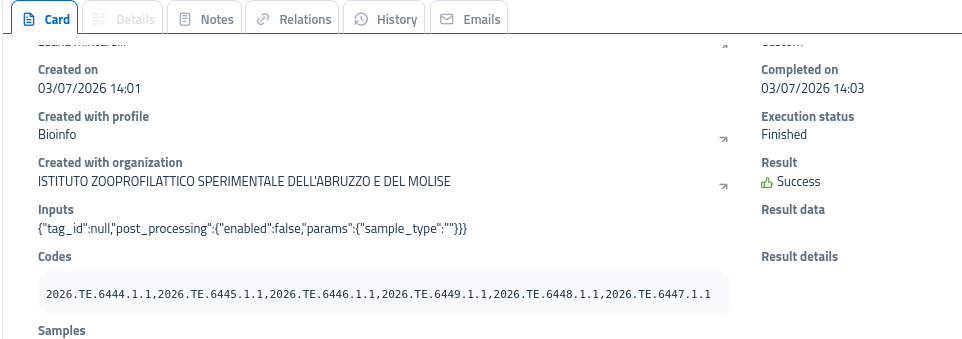
Success
An upload is completed with success when all uploaded files correctly match their respective metadata. In this case, the metadata cards are removed from the Uploads page and associated with the uploaded files.
The summary cards of successfully completed uploads display the sequence identifiers generated by the platform (field “Samples”) and those that the files had at the time of upload (field “Code”). These codes can be added to the cart directly from the card using the "Add to cart" button.
Failed
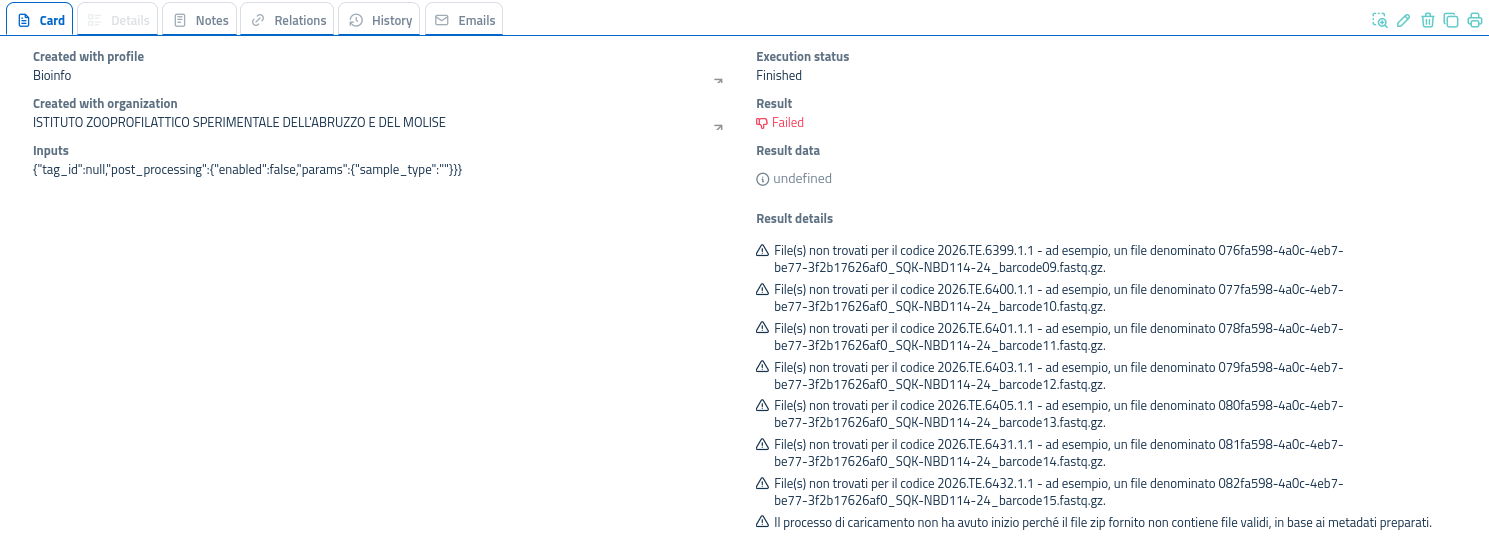
An upload may be marked as failed when all the files the user is trying to upload cause an error. In the event of failure, the metadata pending upload remain available and visible on the Upload page, so that they can be corrected if necessary (as shown in this video).
The card of a failed upload provides information about the reason(s) for the failure, grouped in the 'result_details' field. In the image below, the process failed because the .zip file contained only files with incorrect names or names that did not match those provided in the metadata:
Warnings
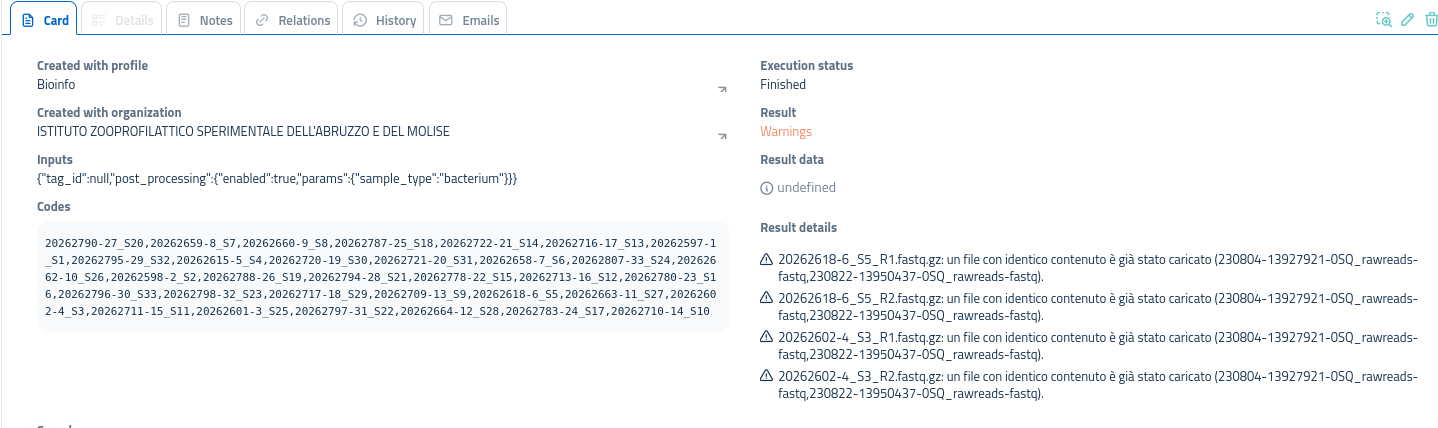
An upload results in failure only when all the files being uploaded generate errors: if even just one of the provided files is valid, that file will be uploaded and the card will show warnings.
In upload cards with warnings you will find both the codes of successfully uploaded samples, which can be added to the cart, and the reports of errors (in the "result_details" field) for samples that were not uploaded. On the Upload page, only the metadata of successfully uploaded samples are associated and removed from the list; the others remain in the queue, awaiting correction or removal.
In the example below, some files in the provided .zip had invalid names; however, two files were correct. The two valid files were uploaded, while the others triggered the warnings.