
3TX_species
Introduction
3TX_species assigns the closest bacterial or viral species to the sequence under analysis. If the tool used is vdabricate, the analysis identifies the best viral reference to be used for downstream analyses. Kmerfinder is the tool used for the best reference identification and determines the assigned species.

Run 3TX_species analysis
Once the analysis 3TX_species has been selected in the dedicated run analyses page, it will be possible to choose the bioinformatics software ("method") to use, among those available for the analysis. The available tools for this analysis are:
For bacterial species assignment:
- kmerfinder - Prediction of bacterial species using a fast K-mer algorithm
KmerFinder GitHub page: https://github.com/kcri-tz/kmerfinder.
For viral species assignment:
- vdabricate - Mass screening of contigs for viral species of a predefinite database using Abricate.
The vdabricate tool can be used to identify the best reference genome for a virus of interest, as determined by the sequence matches found in the viral sequence database (DB_Virus).
For all species:
BLAST - the Basic Local Alignment Search Tool identifies regions of similarity between biological sequences.
BLAST GitHub page: https://github.com/ncbi/blast_plus_docs.
- Mash - fast genome and metagenome distance estimation using MinHash.
Mash GitHub page: https://github.com/marbl/Mash .
For 3TX_species it is necessary to specify the input sequences - whether derived from de novo assembly or from mapping - and the reference genome used for mapping, if the latter is selected as input.
The input selection interface provides the advanced input selection mode, to allow the use of inputs processed by different methods that were applied upstream in the analysis workflow.
Accepted inputs for 3TX_species can originate from:
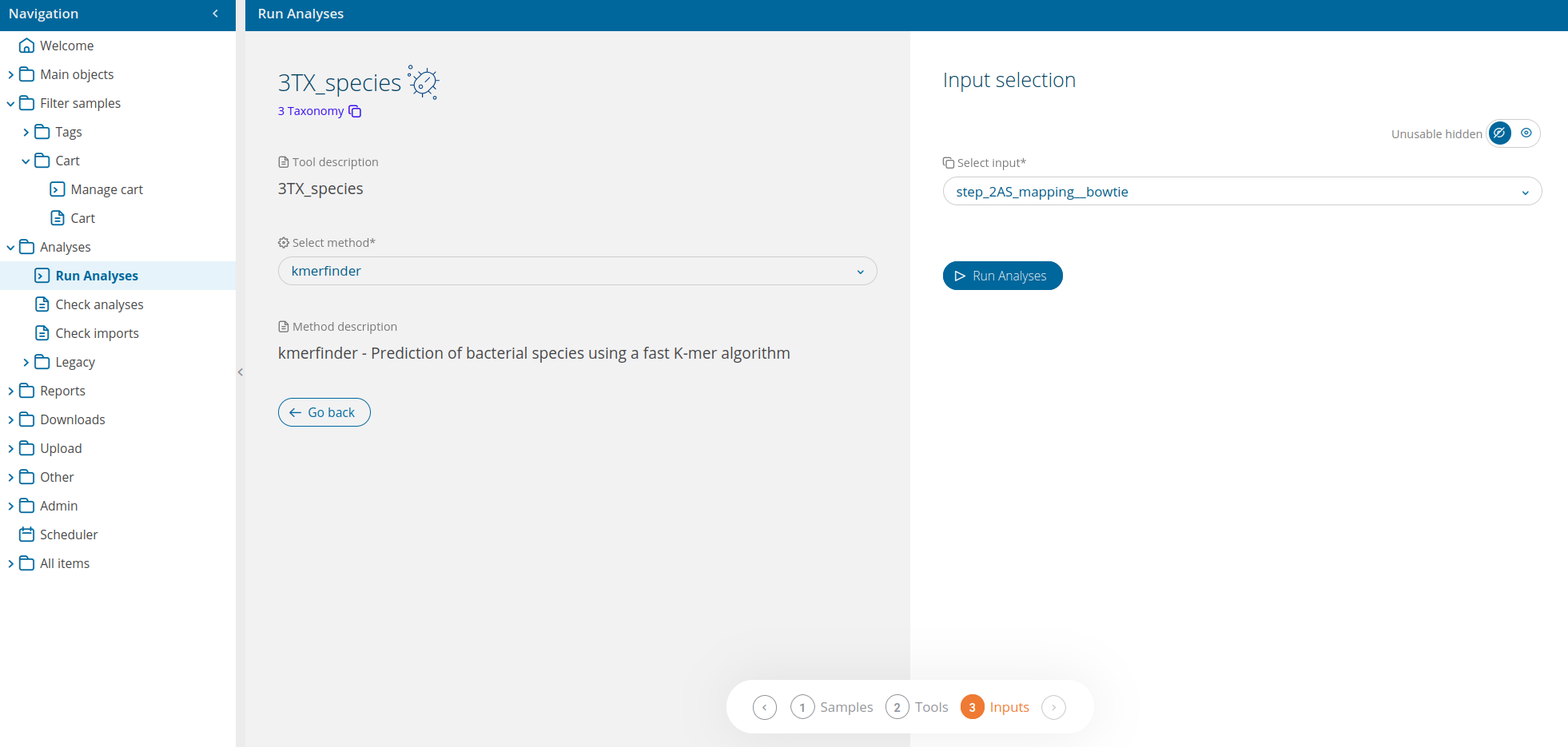
Once the analysis is launched, the page generates a link to the Check analysis section to allow a check of the processus status. The system will send the user a notification both when the analysis is successfully started and when the operation is completed.
Result folder
To consult the guide on how to download files from the platform, please refer to the dedicated page.
The Result folder can be browsed by clicking the link available within the analysis card, in the Result data section. Inside the subsequent results folder, there are 2 subfolders:
- meta: (metadata), where the log and configuration files of the executed process are saved;
- result: where the files containing the results produced by the analysis are saved.
The tables below list the files generated by the available tools for 3TX_species.
Kmerfinder
| File | Description | Location |
|---|---|---|
| DSXXXXXXXX-DTXXXXXX_ID_kmerfinder_bacterial.tsv | file containing the assigned bacterial species | folder: results |
| DSXXXXXXXX-DTXXXXXX_ID_kmerfinder_viral.tsv | file containing the assigned viral species | folder: results |
vdabricate
| File | Description | Location |
|---|---|---|
| DSXXXXXXXX-DTXXXXXX_ID_vdabricate_calls.txt | identified matches in DB_Virus | folder: result |
BLAST
| File | Description | Location |
|---|---|---|
| results.csv | summary table of result files, with fields separated by ";" | folder: results |
| DSXXXXXXXX-DTXXXXXX_ID_blast_nt.asn.gz | sequence data in .asn (Abstract Syntax Notation) compressed format | folder: result |
| DSXXXXXXXX-DTXXXXXX_ID_blast_nt.csv | .csv table of sequence alignment results | folder: result |
| DSXXXXXXXX-DTXXXXXX_ID_blast_nt.txt | sequence alignment results in the standard BLASTn output | folder: result |
| DSXXXXXXXX-DTXXXXXX_ID_blast_nt_max_target_seqs_5.csv | .csv table of alignment results, filtered to the 5 closest sequences | folder: result |
Mash
| File | Description | Location |
|---|---|---|
| DS9573634-DT230426121427891_2019.TE.13476.1.1_mash_screen.tsv | intermediate table containing the sequence identity percentages, between the sample genome and the tested sequences | folder: result |
| DS9573634-DT230426121427891_2019.TE.13476.1.1_mash_screening_results.tsv | .tsv file containing the species final assignment | folder: result |