
WGSBAC Pipeline - IAEA (Brucella)
Introduction
The Wgsbac pipeline performs genotyping and characterisation of bacteria isolates, using as input fastq.gz files from whole-genome-sequencing (WGS). Here are implemented workflows for Brucella samples. For a full list of available analyses in the workflow, please consult the WGSBAC GitLab page.
- WGSBAC official GitLab page: https://gitlab.com/FLI_Bioinfo/WGSBAC
- Authors: Jörg Linde (@joerg.linde) and Mostafa Abdel-Glil (@Mostafa.Abdel-Glil).

Run the Wgsbac - IAEA pipeline
Other microorganisms, that could be analyzed with the original pipeline, are not supported by the installation on this platform.
The WGSBAC pipeline runs a suite of tools that can be divided into:
- read quality check (QC) and trimming;
- sequence reconstruction;
- assembly QC and contamination check;
- genome annotation;
- typing;
- hierarchical clustering.
A detailed list of all software in the pipeline is available at the WGSBAC GitLab official page.
After selecting the WGSBAC version for the microorganism of interest, a confirmation interface will allow you to proceed with the selection of the analysis parameters.
The required input are compressed fastq reads (.fastq.gz), which can be provided as:
- step_0SQ_rawreads
- step_1PP_trimming
Please note that the step_1PP_trimming is retained, as an input option, solely for user convenience as the WGSBAC pipeline performs trimming by default using fastp.
Furthermore, in order to perform some of the analyses of the pipeline, it is required to specify a reference genome for the selected microorganism.
Important note: please remember that the WGSBAC pipeline can only be used on Illumina paired end reads. Other sequencing technologies are currently not supported.
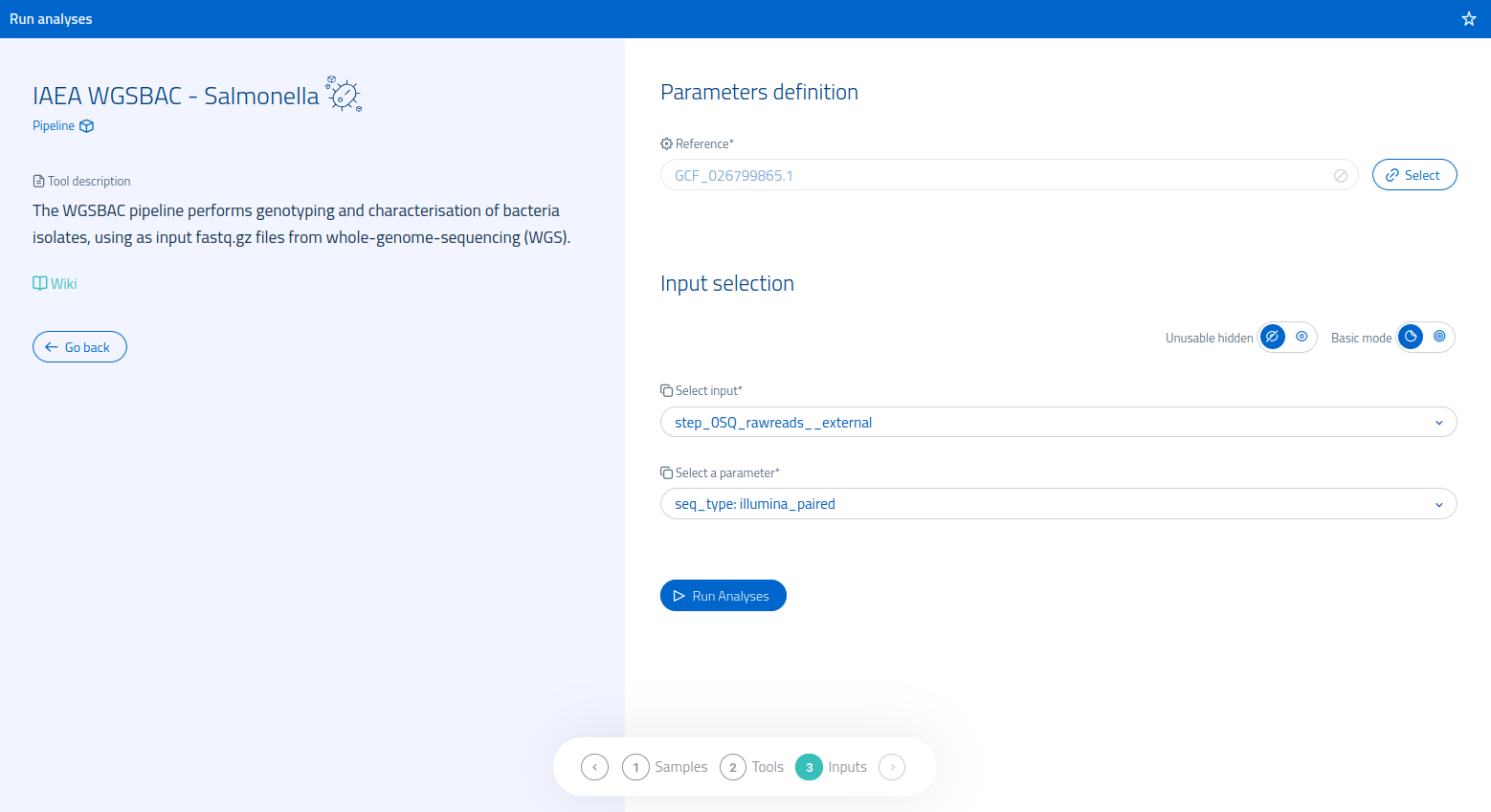
Once the pipeline is launched, the page generates a link to the Check analyses section to allow a check of the processus status. The user will be notified by the system both when the pipeline is successfully launched and when the operation is completed.
Result folder
Output files from the WGSBAC Pipeline include outputs for each single analysis. The result folders of each analysis are listed below. Please refer to WGSBAC's official GitLab page: (https://gitlab.com/FLI_Bioinfo/WGSBAC) for details on each software result.
The Result folder can be browsed by clicking the link available within the analysis card, in the Result data section. Inside the subsequent results folder, it is possible to find the outputs for each single analysis.
- For execution on Brucella samples:
| Analysis - Tool/DB | Results Directory |
|---|---|
| contamination check - confindr | wgsbac_results > confindr |
| coverage calculation | wgsbac_results > coverage |
| trimming and QC - fastp | wgsbac_results > fastp |
| decompressed fastq files | wgsbac_results > fastq |
| raw reads quality check - fastqc | wgsbac_results > fastqc |
| reference fasta | wgsbac_results > finalAssembly |
| input fastq.gz files | wgsbac_results > input |
| contamination check - kraken2 | wgsbac_results > kraken |
| Multi Lucus Sequence Typing - mlst | wgsbac_results > mlst |
| QC - multiQC | wgsbac_results > multiqc |
| QC - fastQC | wgsbac_results > multiqc_fastqc |
| plasmid identification - plasmidfinder/platon | wgsbac_results > plasmids |
| assembly QC - Quast | wgsbac_results > quast |
| de novo assembly - Shovill | wgsbac_results > rawassembly_res |
| variant calling - Snippy | wgsbac_results > snippy |
| species identification - Sourmash | wgsbac_results > sourmash |