
Topics
- Welcome
- Official samples
- Main objects
- Filter samples
-
Analyses
- Run analyses
- Run analysis steps
- View analyses
-
Tool Descriptions
- Introduction
- Tools for non-Illumina Technologies
- Single samples
- Multi sample
-
Pipelines
- Mapping Segmented Viruses
- Covid Emergency
- Depletion and de novo
- Genome draft
- Enterotoxin S. aureus finder
- LSDV Complete
- ASFV (Filtering and de novo)
- DENV - Lineage calculation and Mapping
- Mapping Brucella
- Module AMR
- Nanopore Pipeline
- Nf-core ampliseq
- NgsManager
- Obitools
- Plasmids (AMR)
- Raw Reads Processing
- Typing on Bacteria
- WNV - Lineage Calculation and Mapping
- Filtering and de novo
- Klebsiella (Kleborate)
- Plasmids (AMR)
- nf-core ampliseq
- QC fastqc
- QC Quast
- QC Nanoplot
- IAEA
- Reports
- Downloads
- Uploads
- Dashboards
- SOP
- News
- Support
Tables of checks
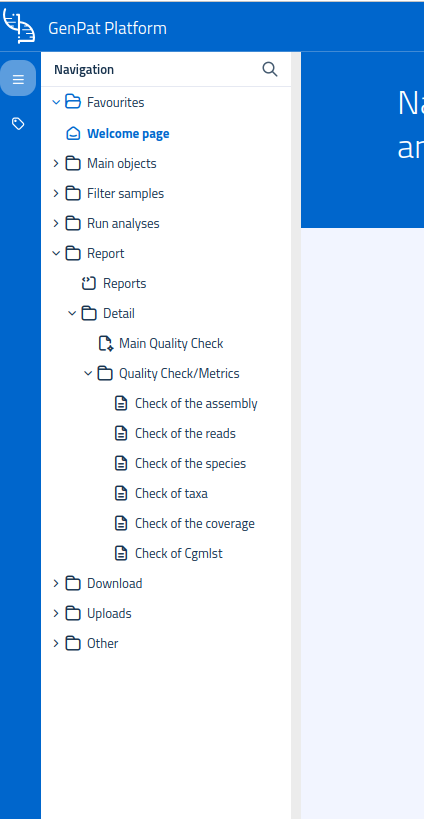
Quality check tables are available from the Report section of the navigation menu.
For each available quality check, information can be displayed as a Report through the following path: Report > Detail > Checks/Metrics.
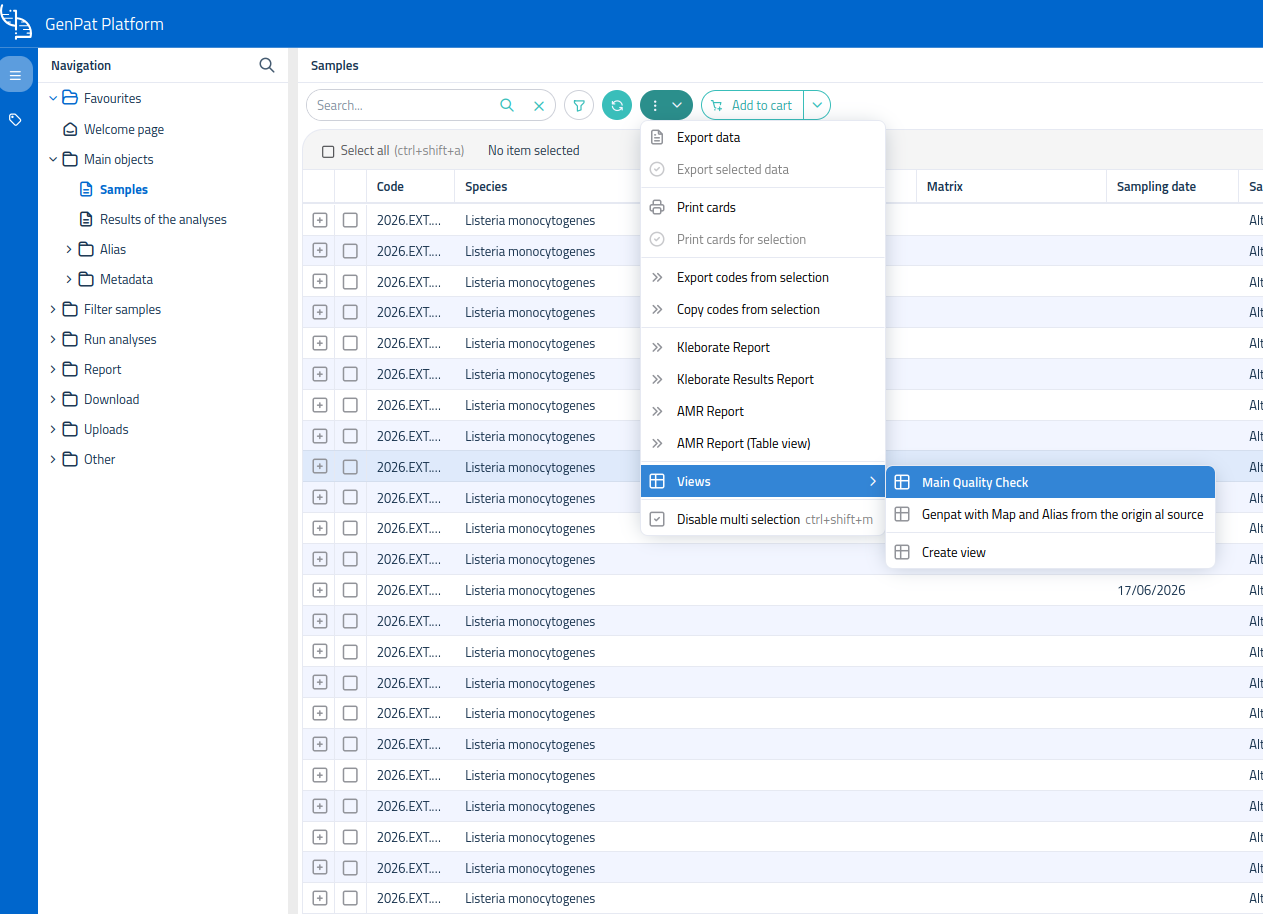
Alternatively, you can use the context menu available on the Samples page (Main objects > Samples), select Views, and choose Main Quality Check.
The available quality checks are: