
1PP_generated
Introduction
The 1PP_generated builds a FASTQ file from a FASTA file. To achieve this result, a script specifically created for GenPat, (fasta2fastq.py), is used. It generates lines with dummy quality scores and modifies the headers so that they comply with the FASTQ format. The software generates files for both antiparallel DNA strands (R1 and R2).
Warning: Since the generated quality lines are dummy, the purpose of this analysis is solely to allow the use of sequences available only as FASTA files within analyses whose programs normally accept only FASTQ format as input. The output files, therefore, must not be used as a substitute for actual FASTQ sequences in workflows where the evaluation of read quality matters.

Run 1PP_generated analysis
Once the analysis 1PP_generated has been selected from the run analyses interface, the user will be able to select which bioinformatic tool ("method") to use. The only available tool for this analysis is fasta2fastq.
The input selection interface provides the advanced input selection mode, to allow the use of inputs processed by different methods that were applied upstream in the analysis workflow.
Available inputs for 1PP_generated are:
- step_2AS_mapping
- step_2AS_denovo
- step_2AS_import
It will be necessary to specify the input sequences - usually originating from de novo assembly or from mapping - and the reference genome used for mapping, in case it is selected as input.
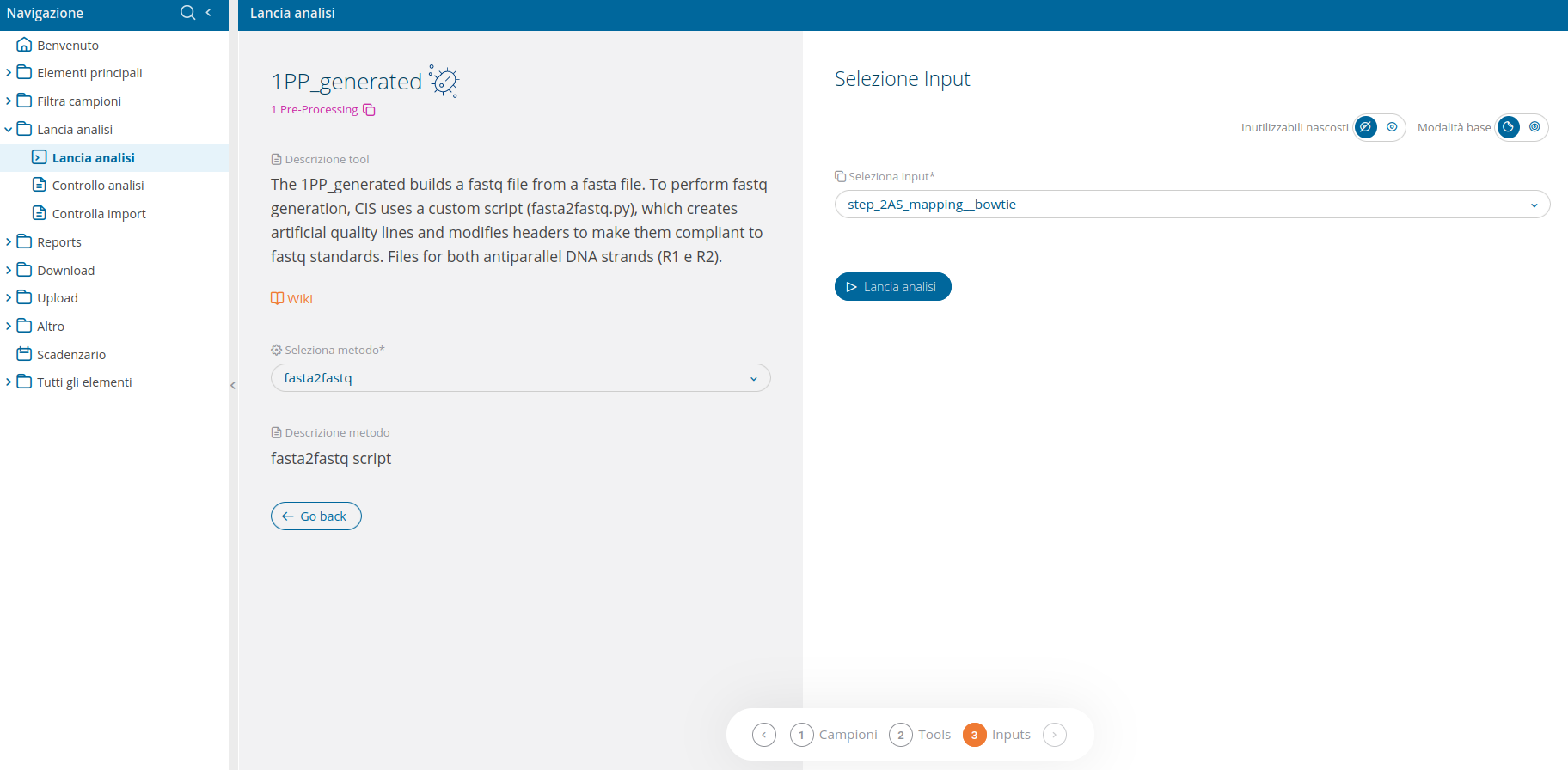
Once the analysis is launched, the page generates a link to the Check analysis section to allow a check of the processus status. The system will send the user a notification both when the analysis is successfully started and when the operation is completed.
Result folder
To consult the guide on how to download files from the platform, please refer to the dedicated page.
The Result folder can be browsed by clicking the link available within the analysis card, in the Result data section. Inside the subsequent results folder, there are two subfolders:
- meta (metadata), where the log and configuration files of the executed process are saved;
- result, where the files containing the results produced by the analysis are saved.
The table below lists available fasta2fastq.py output files.
| File | Description | Location |
|---|---|---|
| DSXXXXXXXX-DTXXXXXX_ID_fasta2fastq_R1.fastq.gz | dummy strand fastq + (compressed file: .gz) | folder: results |
| DSXXXXXXXX-DTXXXXXX_ID_fasta2fastq_R2.fastq.gz | dummy strand fastq - (compressed file: .gz) | folder: results |