
Pipeline Surveillance
Introduction
The Surveillance pipeline runs ReporTree on the allele profiles of the samples, specifying a set of samples of interest. The samples of interest are those provided as input (Tag or Cart); the distance matrix and the tree are computed using all samples of the specified species available on the platform.
The Surveillance pipeline is available, both as an automated analysis and as a manual pipeline, for the following bacteria:
- Listeria monocytogenes;
- Campylobacter;
- Salmonella enterica.
The analysis is automatically triggered by the platform whenever a new allele profile is computed for the microorganisms listed above. This includes: - allele profiles computed at the end of the NGSmanager pipeline - triggered automatically when new samples are uploaded to the platform; - triggered manually by a user; - manual executions of the 4TY_cgMLST analysis.
Surveillance can be manually launched from the Run analysis menu: - by LNR Listeria users for analyses on L. monocytogenes species; - by LNR Campylobacter users for analyses on C. coli and C. jejuni species; - by LNR Salmonella users for analyses on S. enterica.
cgMLST and wgMLST allele profiles can be used.
Reportree GitHub page https://github.com/insapathogenomics/ReporTree
Citation: Mixão V., Pinto M., Sobral D., Di Pasquale A., Gomes J.P., Borges V., (2023), "ReporTree: a surveillance-oriented tool to strengthen the linkage between pathogen genetic clusters and epidemiological data". Genome Medicine. doi: 10.1186/s13073-023-01196-1

Run Surveillance pipeline
The procedure for launching the analysis is similar to that of the other analyses that include the execution of ReporTree:
In the analysis launch system, it is possible to use the filter at the top to display only the pipelines. Once the Surveillance pipeline is selected on the run analyses page, the system will switch to a confirmation interface.
The Surveillance pipeline will run ReporTree with the following variations:
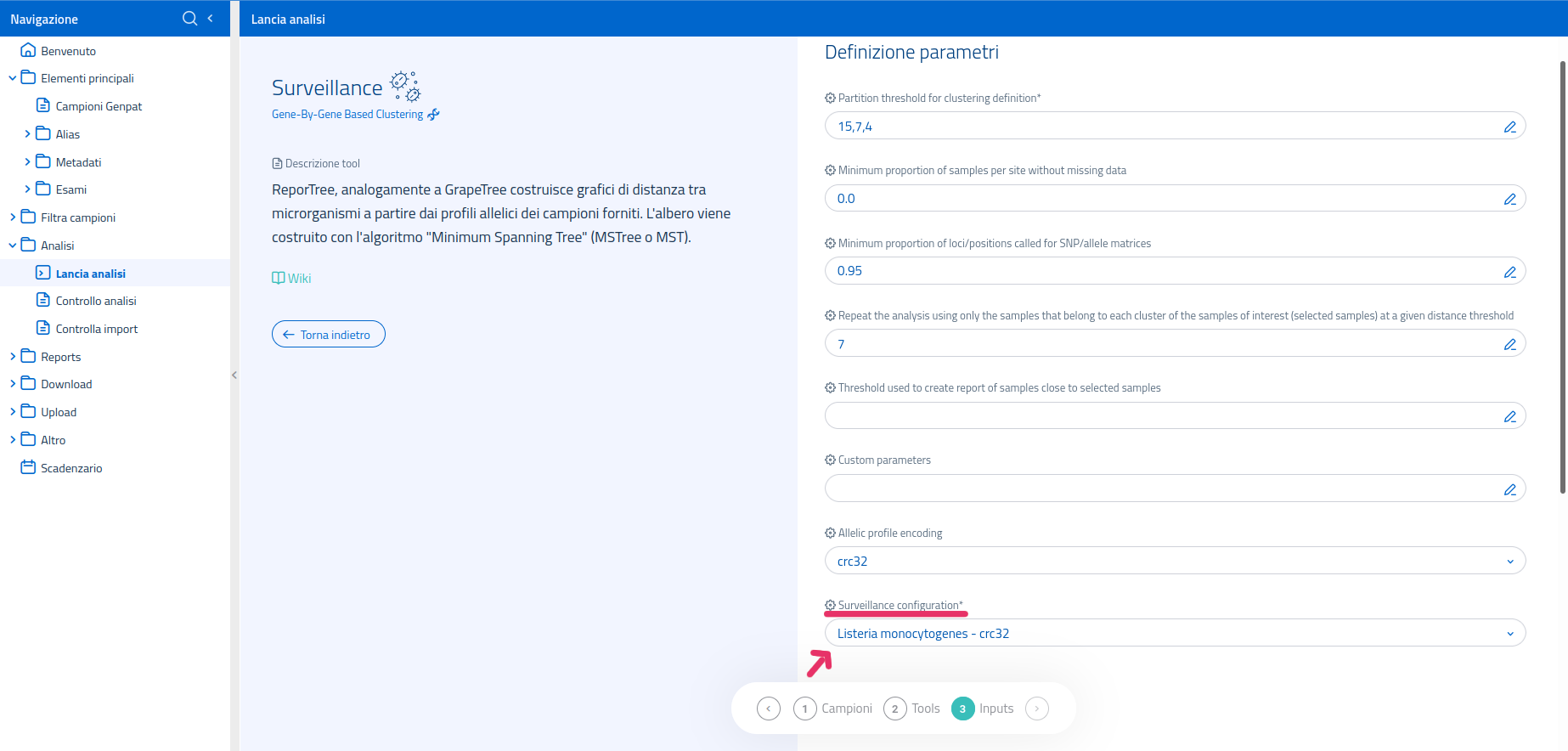
- While a standard ReporTree run is performed exclusively on the samples present in the cart, the ReporTree run, executed via the Surveillance pipeline, is performed on all samples available on the platform that belong to the species indicated in the dedicated field (image A).
- A standard ReporTree run requires specifying the codes of the samples of interest, among those used as input, either in the cart or in the tag; when ReporTree is run through the Surveillance pipeline, the input consists only of the samples of interest (that means that the activated cart or the active tag must contain only those samples) that, therefore, do not need to be esplicitly specified when defining the parameters.
A
B
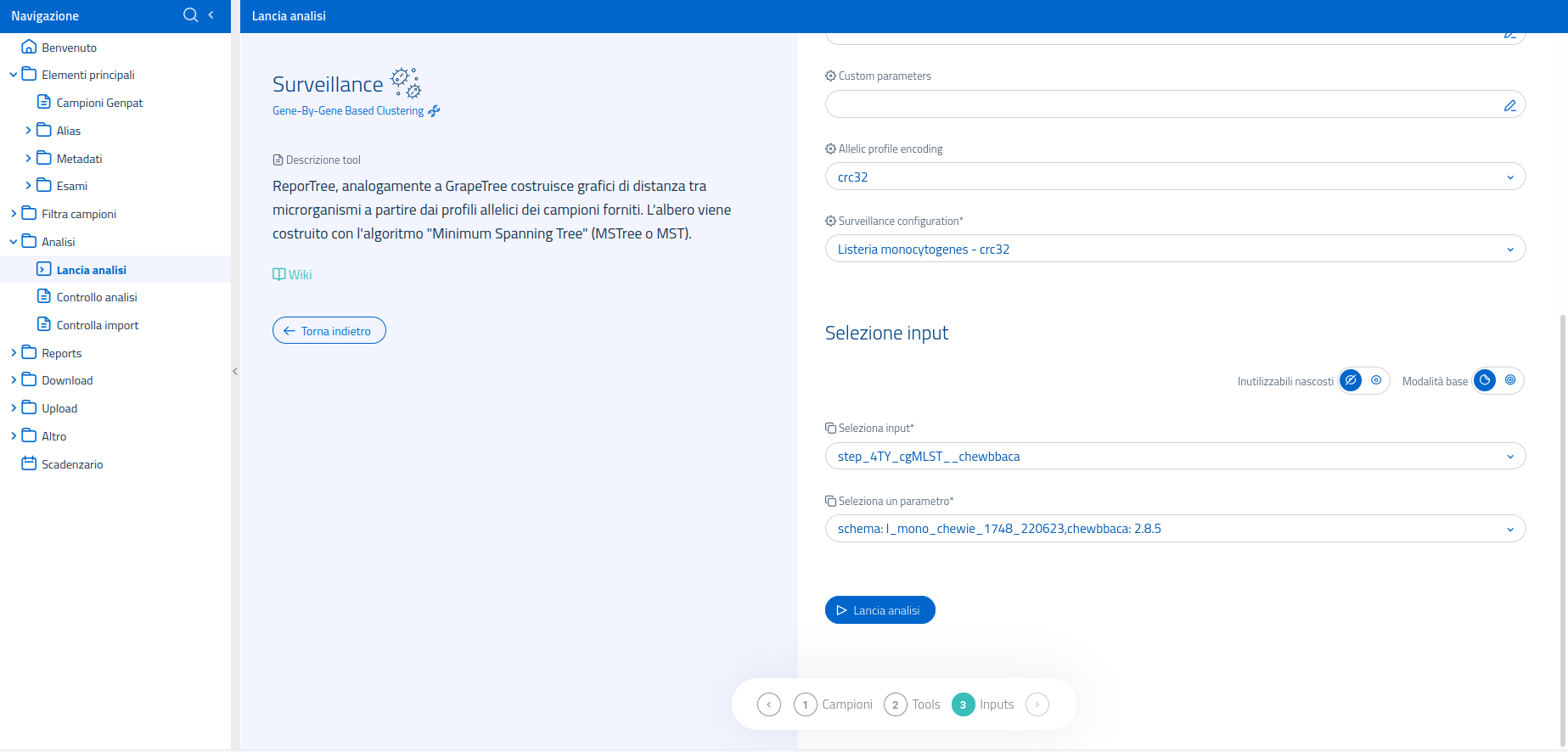
Since the pipeline uses ReporTree, the inputs are the same:
On the parameter definition screen, the pipeline allows a high level of customization through the same additional ReporTree parameters.
For any usage and reference regarding the tool options, please refer to the ReporTree Wiki page.
For any further details, please refer to the relevant sections of the ReporTree analysis and to the official tool documentation: