
NgsManager Pipeline
Introduction
The NgsManager pipeline allows the managemnet of reads and the execution of specific pipelines based on the sample type.

The pipelines executed by NgsManager are the following:
- Raw Read Processing pipeline - the results of 3TX_class__kraken in the Read Processing pipeline determine species identification,on the basis of which the following analyses are performed:
- For bacteria:
- WGS on Bacteria pipeline (execution of de novo assembly with Shovill: step_2AS_denovo__shovill);
- Typing on Bacteria pipeline.
- For viruses:
- Vdraft pipeline (execution of de novo assembly with Abricate: step_2AS_denovo__abricate + Genome Draft module).
- For SARS-CoV2:
(For information on the individual analyses, please refer to the corresponding pages, accessible by clicking on the items listed above).
Run NgsManager Pipeline
The filter at the top of the run analyses page allows to display only the pipelines. Once the NgsManager pipeline has been selected, a confirmation interface will be displayed.
The selection of NgsManager pipelines, in the case of a manual launch, is done by choosing the sample type, among those available, within the "Parameter definition" section.
Regarding the input, NgsManager accepts:
- raw reads (step_0SQ_rawreads);
- step_1PP_trimming;
- step_1PP_hostdepl;
- step_1PP_generated;
- step_1PP_filtering;
- step_1PP_downsampling;
- step_2AS_mapping;
- step_2AS_indexing;
- imported fasta file (step_2AS_import).
If 2AS_mapping is used as input, a reference genome will also be required, automatically selected by the system based on the one used for mapping. The Raw Read Processing pipeline runs the same way for all sample types but only if the selected input consists of raw reads.
The input selection interface provides the advanced input selection mode, to allow the use of inputs processed by different methods that were applied upstream in the analysis workflow.
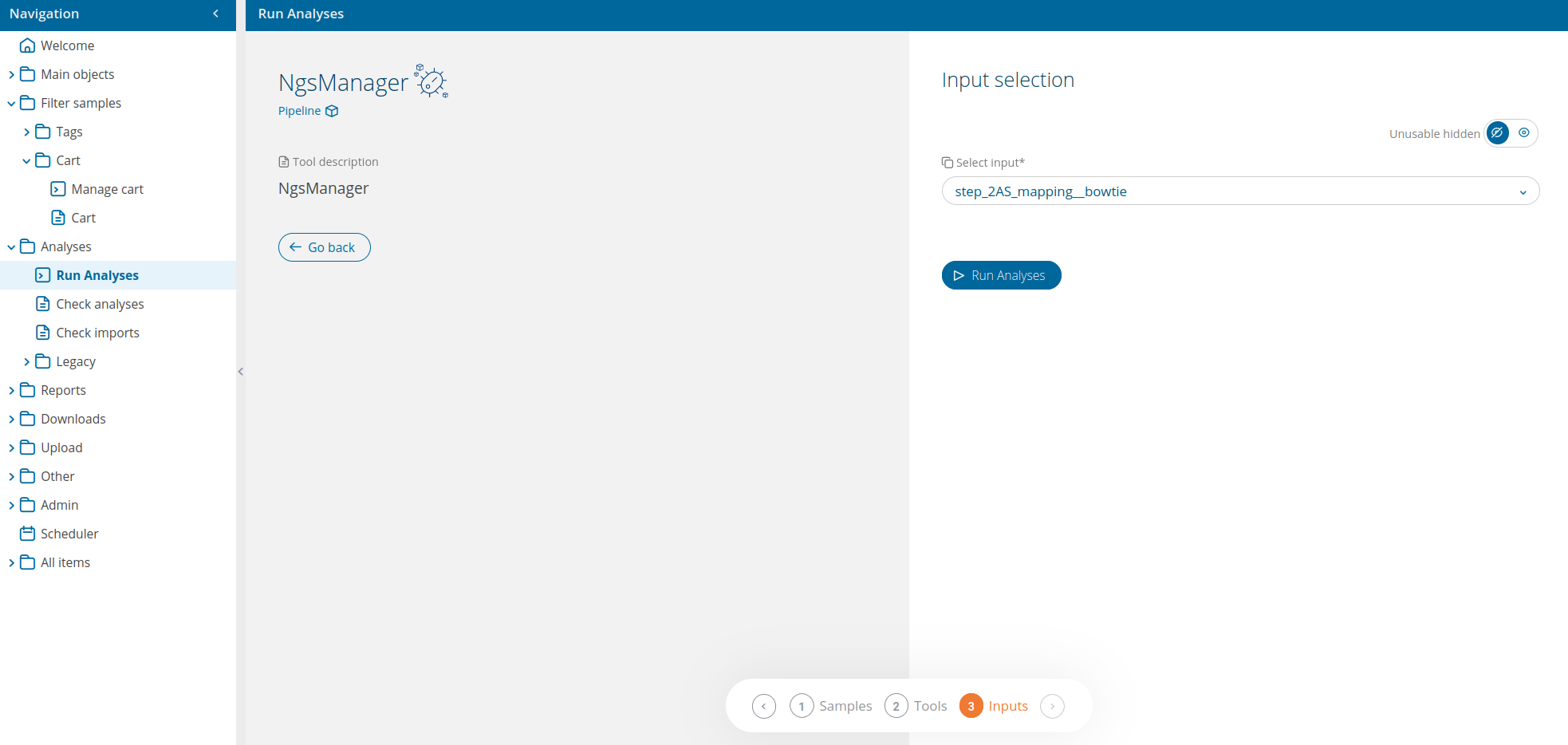
Once the pipeline is launched, the page generates a link to the Check analyses section to allow a check of the processus status. The user will be notified by the system both when the pipeline is successfully launched and when the operation is completed.
Results
The files produced by "NgsManager" depend on the analyses that make up the executed pipelines; they are organized according to the same hierarchy used for individually run analyses. For reference, please consult the corresponding sections of the pipelines included in NgsManager, where all information regarding individual analyses and links to their respective result tables can be found.