
3TX_class
Introduction
The 3TX_class analysis performs taxonomic classification of the organisms of origin of the reads and includes a contamination checks.
3TX_class_kraken therefore produces the results related to contamination, which can be consulted in Report > Detail > Checks/Metrics > Check of Taxa.

Run 3TX_class analysis
Once the analysis 3TX_class has been selected in the dedicated run analyses page, it will be possible to choose the bioinformatics software ("method") to use, among those available for the analysis. The available tools for this analysis are listed below.
For all microorganisms:
- Kraken - sequence taxonomic classification system
- Kraken 2 - The second version of the Kraken sequence taxonomic classification system
Kraken GitHub page: https://github.com/DerrickWood/kraken
Kraken 2 GitHub page: https://github.com/DerrickWood/kraken2
Only for species belonging to Escherichia, Salmonella and Listeria:
- ConFindr - designed to find bacterial intra-species contamination in raw data generated by Illumina
ConFindr GitHub page: https://github.com/OLC-Bioinformatics/ConFindr/tree/main
Only for single long reads from metagenomic samples sequenced with Nanopore technology:
- Centrifuge - Classifier for metagenomic sequences
Centrifuge GitHub page: https://github.com/DaehwanKimLab/centrifuge
Note: Kraken 2 differs from the first version. Since they are parallel software, both are available in the analysis launch system. For further information on how Kraken and Kraken 2 work and their differences, please refer to their official manual at the following link: https://github.com/DerrickWood/kraken2/blob/master/docs/MANUAL.markdown.
The input selection interface provides the advanced input selection mode, to allow the use of inputs processed by different methods that were applied upstream in the analysis workflow.
Accepted inputs for 3TX_class can originate from:
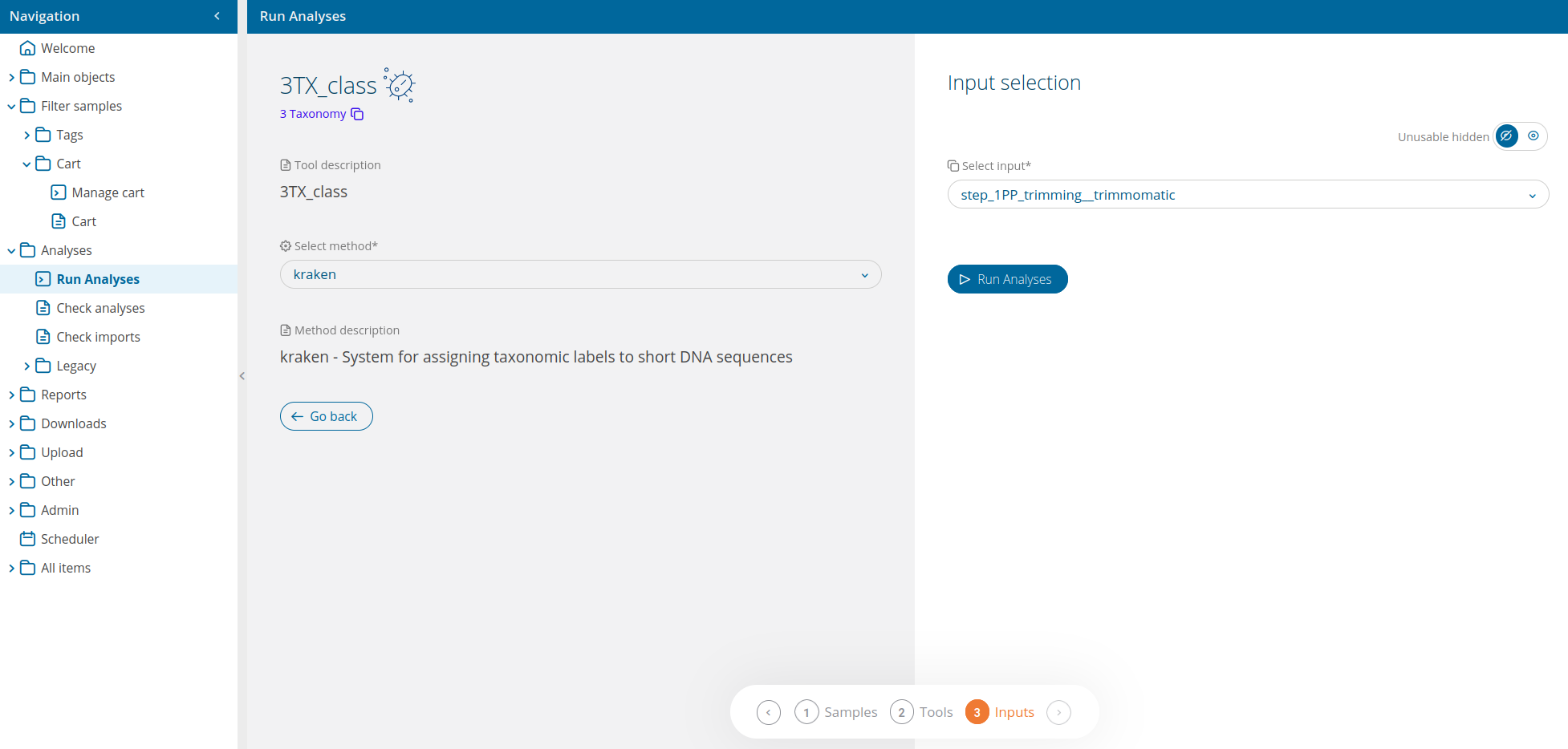
Once the analysis is launched, the page generates a link to the Check analysis section to allow a check of the processus status. The system will send the user a notification both when the analysis is successfully started and when the operation is completed.
Result folder
To consult the guide on how to download files from the platform, please refer to the dedicated page.
The Result folder can be browsed by clicking the link available within the analysis card, in the Result data section. Inside the subsequent results folder, there are 2 subfolders:
- meta: (metadata), where the log and configuration files of the executed process are saved;
- result: where the files containing the results produced by the analysis are saved.
The tables below list the files generated by the available tools for 3TX_class. For further details on the output files generated by the two versions of Kraken, please refer to kraken official manual and the help sheet of Kraken 2.
Kraken
| File | Description | Location |
|---|---|---|
| DSXXXXXXXX-DTXXXXXX_ID_kraken.tsv | kraken taxonomic classification file | folder: result |
Kraken 2
| File | Description | Location |
|---|---|---|
| DSXXXXXXXX-DTXXXXXX_ID_bracken_genus.tsv | estimated abundance of reads identified by genus | folder: result |
| DSXXXXXXXX-DTXXXXXX_ID_bracken_genus_report.tsv | taxonomic classification report file at the genus level | folder: result |
| DSXXXXXXXX-DTXXXXXX_ID_bracken_species.tsv | estimated abundance of reads identified by species | folder: result |
| DSXXXXXXXX-DTXXXXXX_ID_bracken_species_report.tsv | taxonomic classification report file at the species level | folder: result |
| DSXXXXXXXX-DTXXXXXX_ID_kraken.tsv | taxonomic classification report file at the strain level | folder: result |
| DSXXXXXXXX-DTXXXXXX_ID_kraken.txt.gz | compressed text file containing sequences classified by Kraken 2 | folder: result |
ConFindr
| File | Description | Location |
|---|---|---|
| DSXXXXXXXX-DTXXXXXX_ID_contamination.csv | .csv table of contaminations identified in the sample by ConFindr | folder: result |
| DSXXXXXXXX-DTXXXXXX_ID_rmlst.csv | .csv table of alleles for each gene in the sample | folder: result |
| DSXXXXXXXX-DTXXXXXX_ID_confindr_report.csv | overall .csv table of samples and contaminations identified by ConFindr | folder: result |
Centrifuge
| File | Description | Location |
|---|---|---|
| DSXXXXXXXX-DTXXXXXX_ID_centrifuge.output | tabular output file from Centrifuge containing the taxa ID, its score and the second-best score (open with a text editor or spreadsheet) | folder: result |
| DSXXXXXXXX-DTXXXXXX_ID_centrifuge.report | tabular report from Centrifuge containing the list of organisms detected in the sample and their statistics (open with a text editor or spreadsheet) | folder: result |
For further information on Centrifuge outputs and software features, please refer to the Centrifuge GitHub official page.