
4TY_ML
Introduction
The ML (Machine Learning) analysis allows to predict the food source (Source Attribution) of L. monocytogenes. The analysis uses a binary classifier (predicted sources: "meat" or "non-meat"), produced as a deliverable of the current research project.

Run 4TY_ML analysis
The analysis 4TY_ML uses a pre-trained model as source-classifier, currently available only for L. monocytogenes. Phenotype classification will be binary: the model is trained to predict which samples, among the L. monocytogenes selected as input, come from a "meat" matrix and which ones from a "non-meat" matrix. Prediction is based on the cgMLST allele matrix.
The input selection interface provides the advanced input selection mode, to allow the use of inputs processed by different methods that were applied upstream in the analysis workflow.
Accepted inputs can originate from:
Both input types use chewBBACA as execution software; moreover, for 4TY_cgMLST, it is possible to use either the version 2.8.4 with Pasteur schema or the 2.8.5 with crc32 schema.
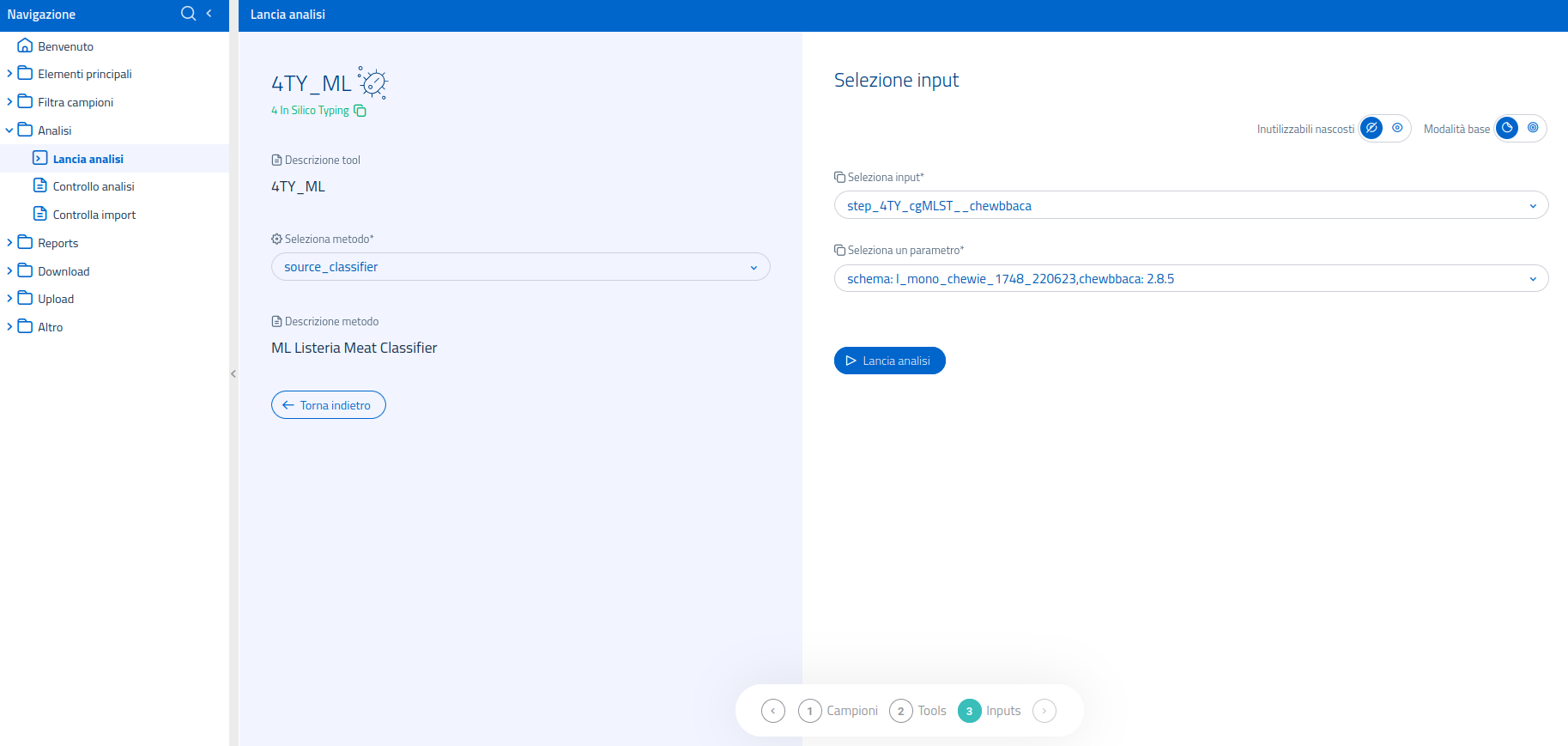
Once the analysis is launched, the page generates a link to the Check analysis section to allow a check of the processus status. The system will send the user a notification both when the analysis is successfully started and when the operation is completed.
Result folder
To consult the guide on how to download files from the platform, please refer to the dedicated page.
The Result folder can be browsed by clicking the link available within the analysis card, in the Result data section. Inside the subsequent results folder, there are 2 subfolders:
- meta: (metadata), where the log and configuration files of the executed process are saved;
- result: where the files containing the results produced by the analysis are saved.
The table below shows the location of main output files and a brief description of them.
| File | Description | Location |
|---|---|---|
| DSXXXXXXXX-DTXXXXXX_ID_source_classifier.tsv | .tsv table with prediction results for the sample | folder: result |
| metadata.csv | .csv table of metadata for input samples | folder: results |
Result visualization
Results of the 4TY_ML analysis can also be viewed through the dedicated table of checks page, Quality checks for ML-based classification, available under Report > Detail > Checks/Metrics > Quality checks for ML-based classification in the left side navigation menu.