
QC fastqc
Introduction
QC fastqc is part of the analysis subcategory for quality control (Quality Check, QC); it runs the fastQC software on raw reads or trimmed reads, providing the corresponding quality metrics.
FastQC official GitHub page: https://github.com/s-andrews/FastQC.

Run FastQC pipeline
The filter at the top of the run analyses page allows to display only the pipelines. Once the QC fastqc pipeline has been selected, a confirmation interface will be displayed.
Accepted inputs can be raw reads in fastq format (internal or external) or trimmed reads (or those originating from preprocessing analyses):
- raw reads (step_0SQ_rawreads);
- trimmed reads (step_1PP_trimming);
- filtered reads (step_1PP_filtering);
- fastq reads generated from fasta (step_1PP_generated);
- depleted reads (step_1PP_hostdepl);
- downsampled reads (step_1PP_downsampling).
Note: fastQC can be executed on paired or unpaired reads. In the first case, each fastqc result will be produced for each read and will be marked with the suffixes "R1" and "R2".
The input selection interface provides the advanced input selection mode, to allow the use of inputs processed by different methods that were applied upstream in the analysis workflow.
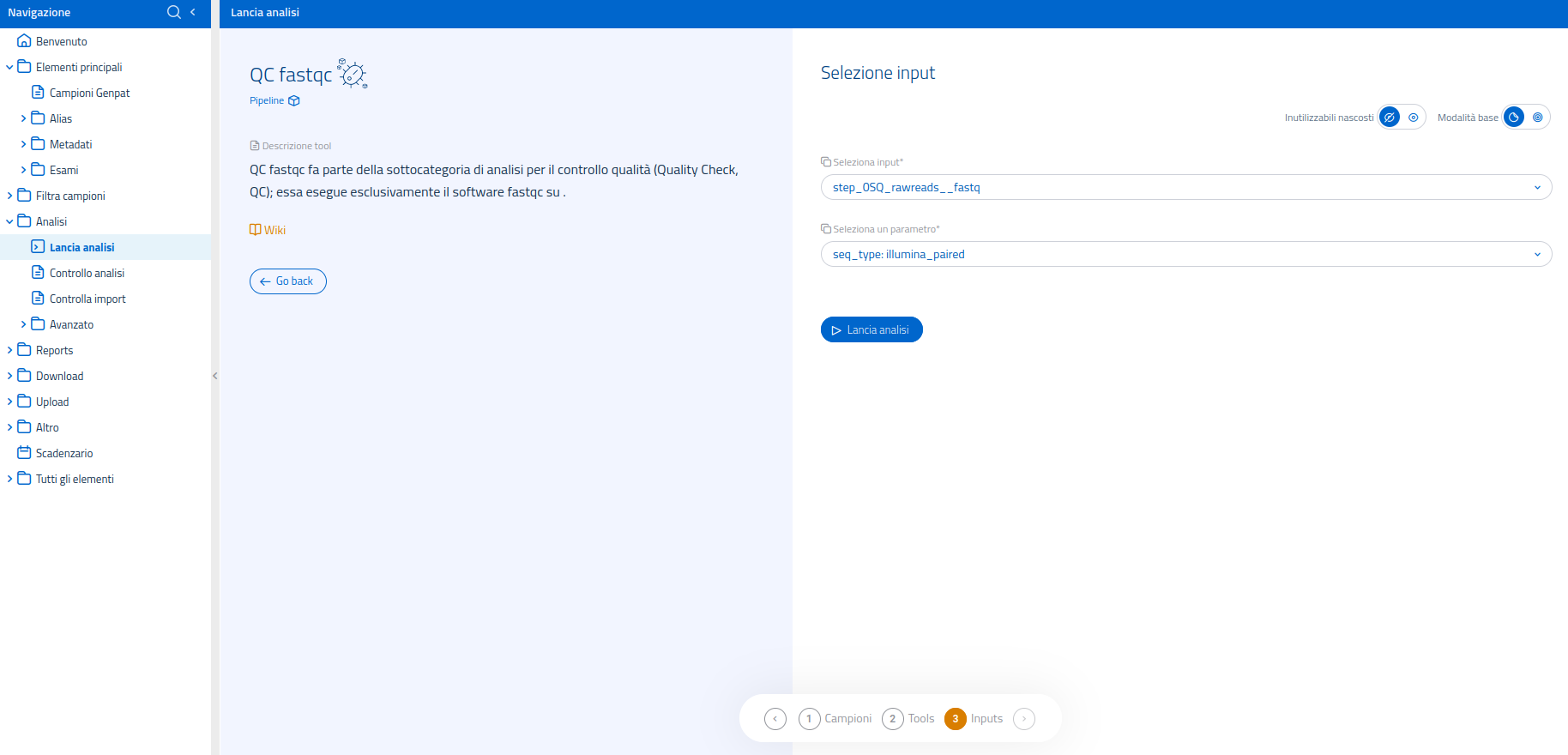
Once the pipeline is launched, the page generates a link to the Check analyses section to allow a check of the processus status. The user will be notified by the system both when the pipeline is successfully launched and when the operation is completed.
Results
To consult the guide on how to download files from the platform, please refer to the dedicated page.
The files produced by the QC fastqc pipeline will be the same as those produced by the same tool within the analyses that use it, as software, for quality check. To consult the fastqc results, please refer to the table available at the following link to the outputs of 1PP_trimming: