
WNV (West Nile Virus) Pipeline
Introduction
The WNV - Lineage Calculation and Mapping pipeline calculates the lineage of the West Nile Virus and maps the sample against the corresponding reference.

Run WNV Pipeline
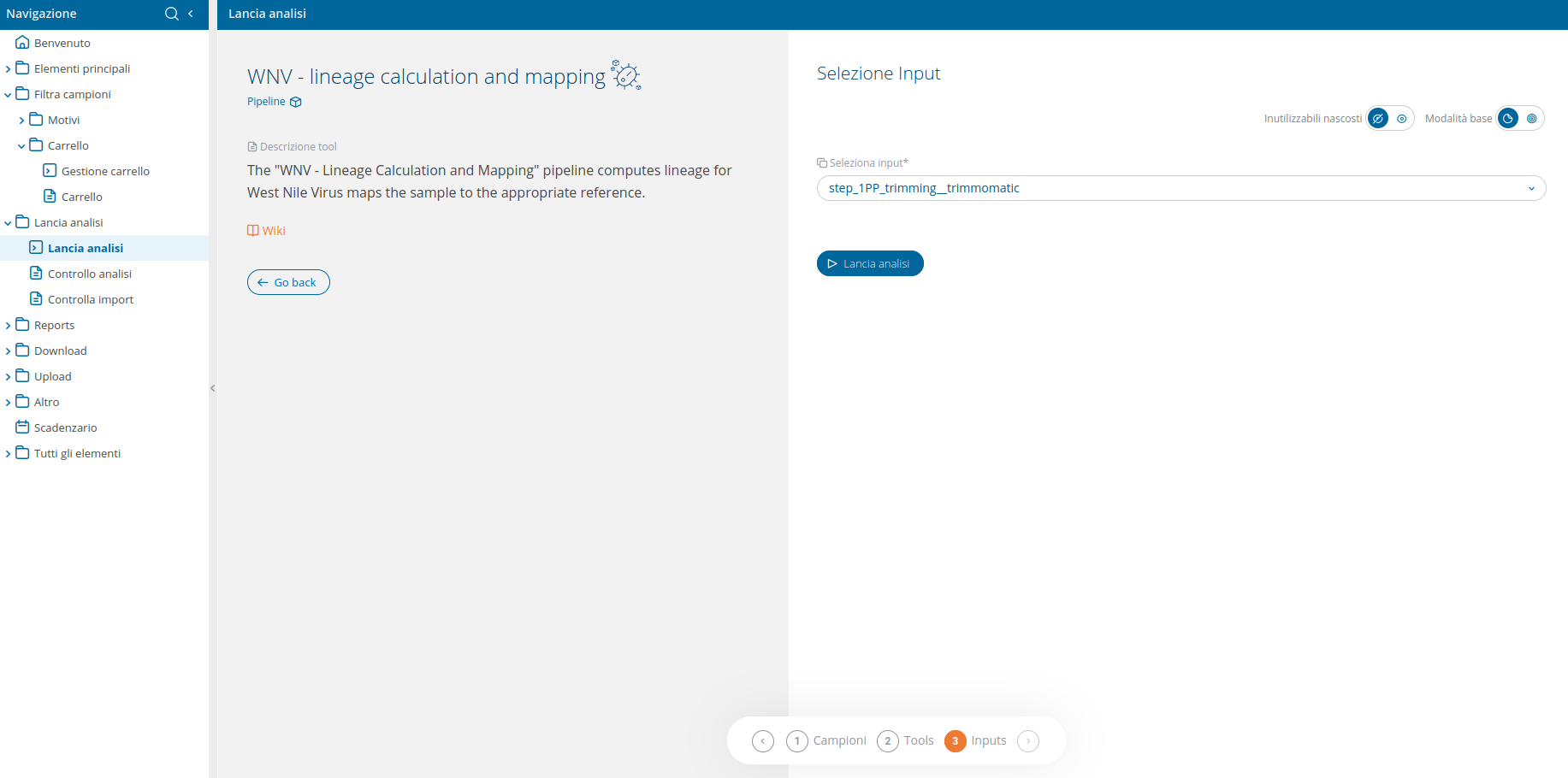
The filter at the top of the run analyses page allows to display only the pipelines. Once the WNV pipeline has been selected, a confirmation interface will be displayed.
The WNV performs the following analyses:
- West Nile Virus lineage computation with Westnile (4TY_lineage__westnile);
- Mapping, with Ivar (2AS_mapping__ivar), of each genome segment against its appropriate references.
Accepted inputs can originate from pre-processing analyses:
- depleted reads (step_1PP_hostdepl);
- downsampled reads (step_1PP_downsampling);
- trimmed reads (step_1PP_trimming);
- filtered reads (step_1PP_filtering).
The input selection interface provides the advanced input selection mode, to allow the use of inputs processed by different methods that were applied upstream in the analysis workflow.
The reference genome used for the mapping step will be the base genome associated with the lineage assigned by the Westnile tool, according to the correspondences shown in the table below:
| assigned lineage | reference |
|---|---|
| lin. 1 | FJ483548.1 |
| lin. 2 | HQ537483.1 |
| lin. 3 | AY765264.1 |
| lin. 4 | AY277251.1 |
| lin. 5 | GQ851605.1 |
| lin. 6 | GU047875.1 |
| lin. 7 | KY703855.1 |
| lin. 8 | KY703856.1 |
| lin. 9 | KJ831223.1 |
Once the pipeline is launched, the page generates a link to the Check analyses section to allow a check of the processus status. The user will be notified by the system both when the pipeline is successfully launched and when the operation is completed.
Results
Files generated by the WNV pipeline will be the same as those produced by the individual analyses that compose it, organized according the same hierarchy. As a reference, please refer to the relevant sections of the individual analyses: